
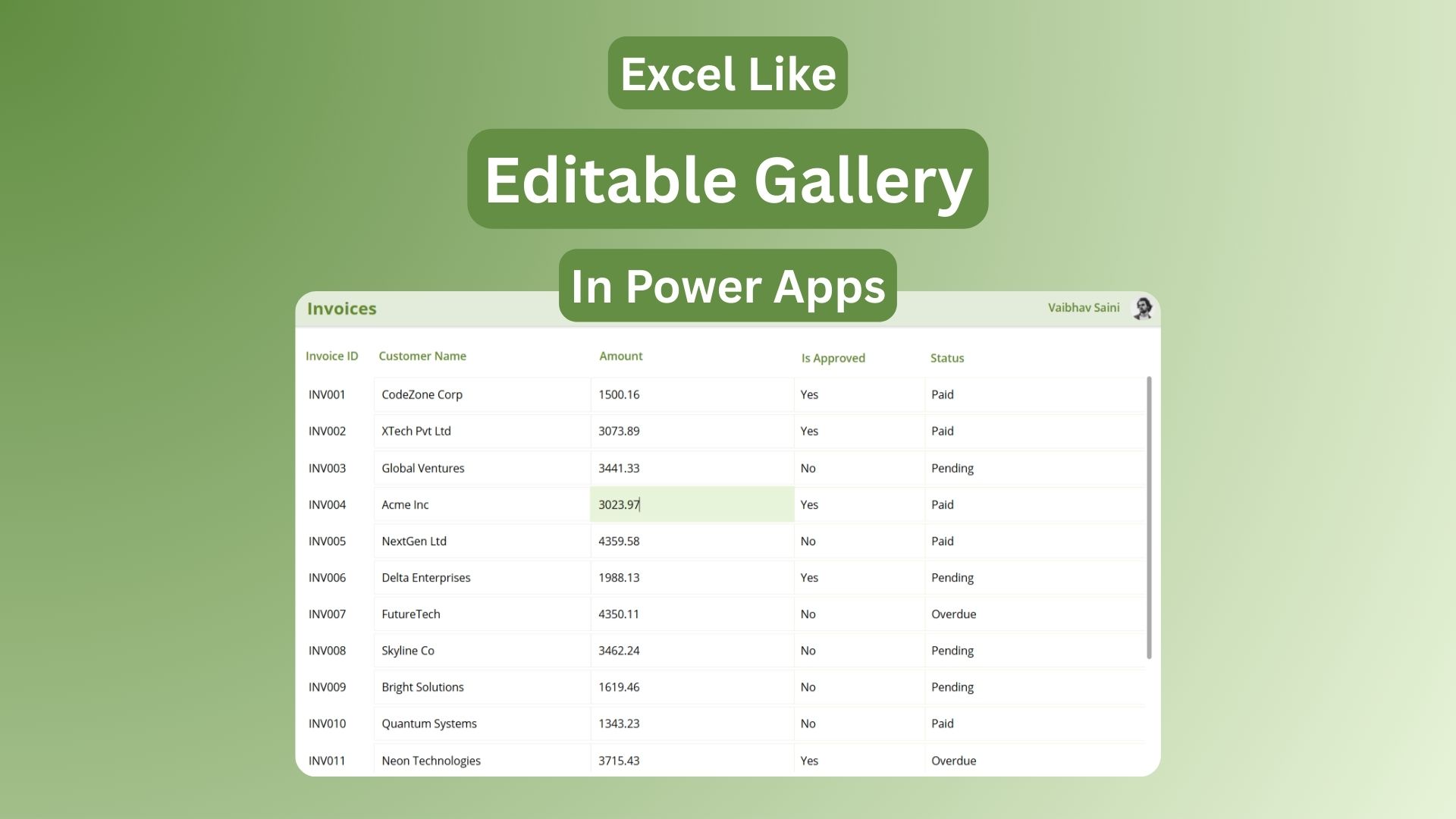
Create the Excel like editable table in Power Apps in 3 easy steps. It’s a game-changer for inline data editing.
What Makes It Excel-Like
The Excel like editable table in Power Apps uses a gallery control with input fields in each row, letting users update SharePoint lists or other data sources directly without separate edit forms. See all your invoices—ID, customer, amount, approval status—in one scrollable grid where changes save instantly on edit. No more screen switching; users spot issues and fix them in context, boosting productivity.
Step 1: Create the Gallery Base
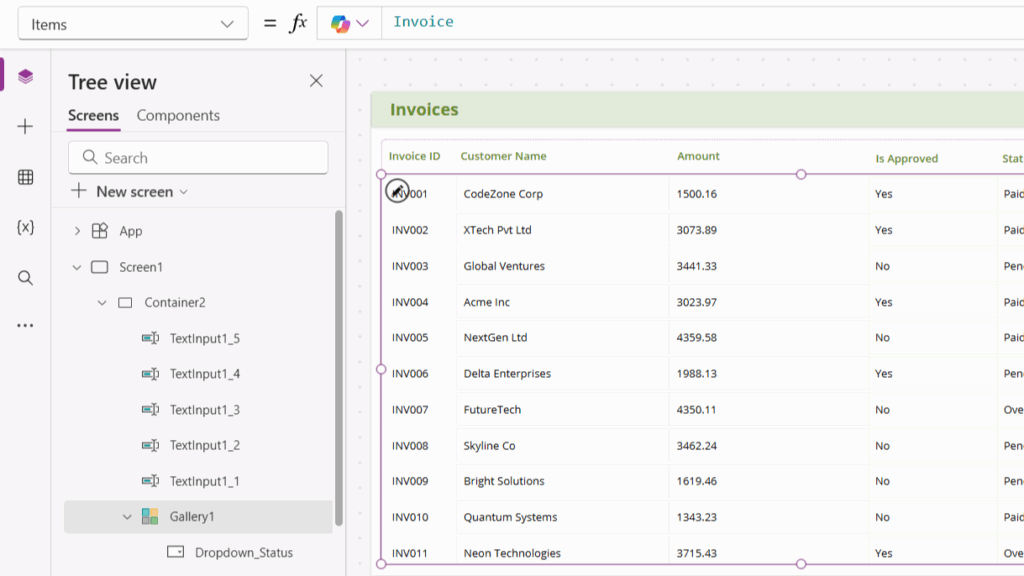
Start simple:
- Insert a vertical gallery on your screen.
- Set Items property to your data source:
Invoices(SharePoint list example). - Add Labels in the first row:
ThisItem.InvoiceID,ThisItem.CustomerName,ThisItem.Amount, etc.
Wrap in a Container for perfect column alignment and that clean table appearance.
Step 2: Replace Labels with Edit Controls
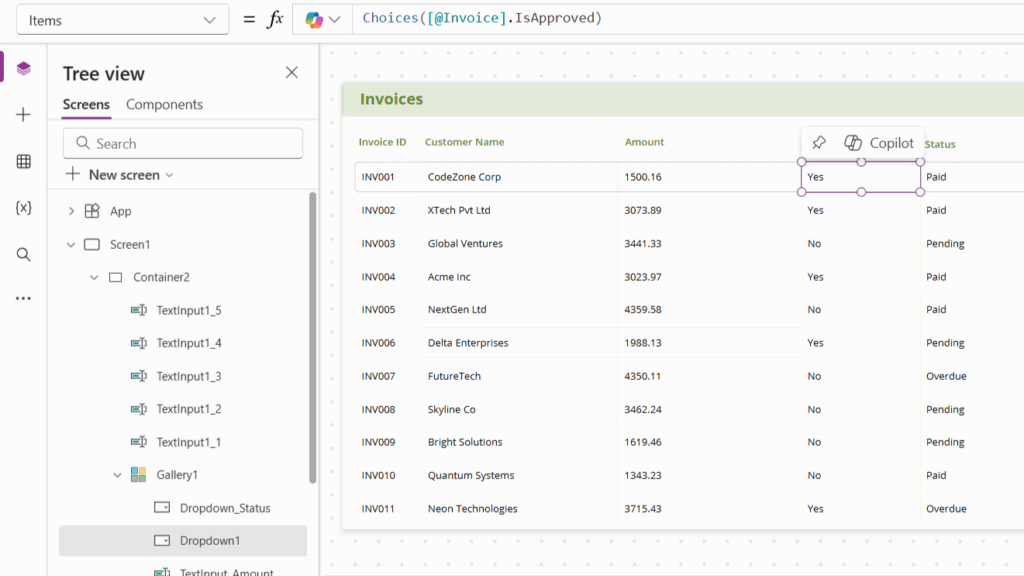
Make it interactive—edit once in the template, applies to every row:
- Amount column: Insert TextInput, Default =
ThisItem.Amount - IsApproved: Dropdown control, Items =
Choices(Invoices.IsApproved), Default =ThisItem.IsApproved.Value - CustomerName: TextInput, Default =
ThisItem.CustomerName
Tap any cell now, and it becomes editable, just like Excel.
Step 3: Auto-Save with UpdateIf Magic
Set each control’s OnChange property to instantly persist changes:
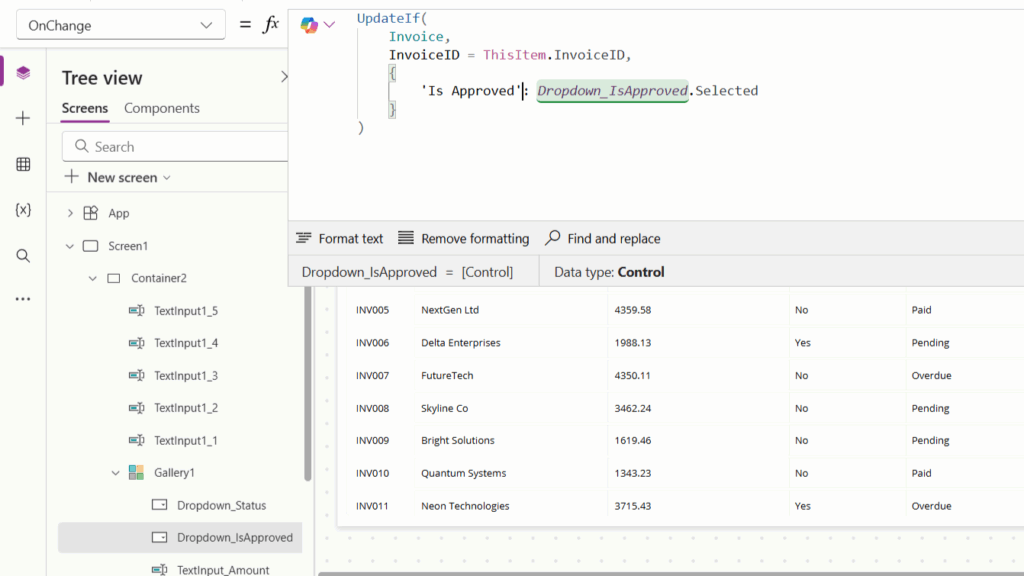
textUpdateIf(Invoices,
         InvoiceID = ThisItem.InvoiceID,
         Amount: Value(TextInputAmount.Text))
For dropdowns:
textUpdateIf(Invoices,
         InvoiceID = ThisItem.InvoiceID,
         IsApproved: DropdownIsApproved.Selected.Value)
Copy-paste the pattern, swap field names—done!
Quick Polish Tips
- Search: Add TextInput above gallery, set Items to
Search(Invoices, TextInputSearch.Text, "CustomerName") - Styling: TemplateFill =
If(Mod(ThisItem.ID, 2) = 1, White, RGBA(248, 248, 248, 1))for zebra stripes. - Performance: For 1000+ rows, load to Collection first:
ClearCollect(colInvoices, Invoices)
Your Excel like editable table in Power Apps is now production-ready for invoices, inventory, or any bulk-edit scenario!
Follow us on linkedin for more updates:
Leave a Reply